If you work with the GetYourGuide platform, you can connect your tours
to IconicGuest so that bookings sync automatically. Just follow the
4 steps below.
⏱️ ~10 minutes🔗 4 steps🖼️ 4 screenshots
Before you start
You need an active Supplier contract/account on GetYourGuide and access
to the extranet (supplier.getyourguide.com),
plus admin access to IconicGuest.
The steps
1
On GetYourGuide
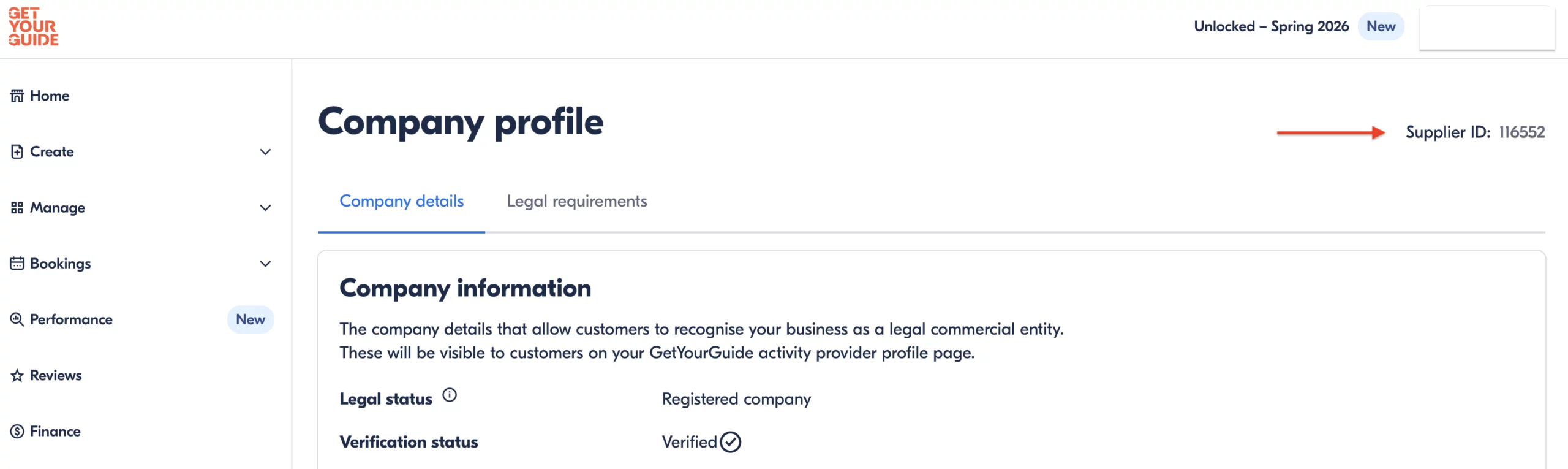
Find your Supplier ID
Log in to your GetYourGuide account as a Supplier.
Click on your profile in the top right corner.
Select Account Settings.
On the right side of the page you will see your Supplier ID. Note it down.
On GetYourGuide, your Supplier ID appears at the top right of your company profile.
2
On IconicGuest
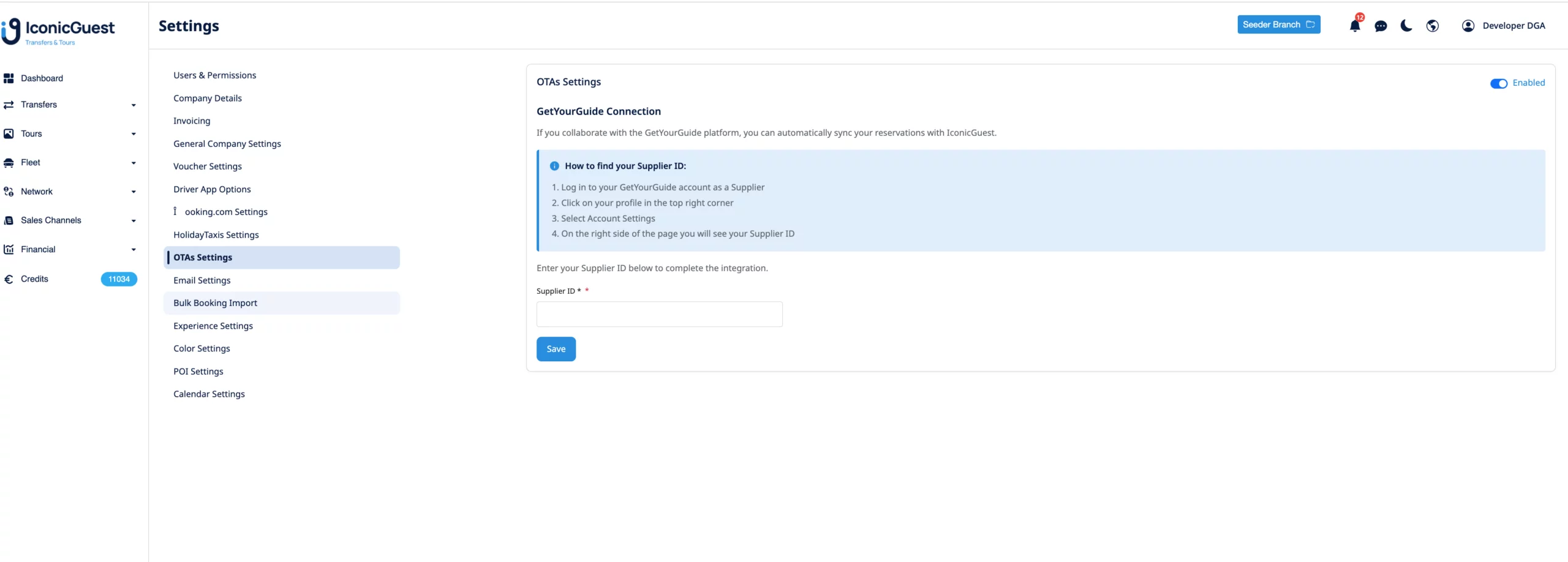
Enter the Supplier ID in IconicGuest
Go to Settings → OTAs Settings.
In the “GetYourGuide Connection” section, turn on the switch.
In the “Supplier ID” field, paste the ID from Step 1.
Click Save.
OTAs Settings → GetYourGuide Connection → Supplier ID field → Save.
3
On IconicGuest
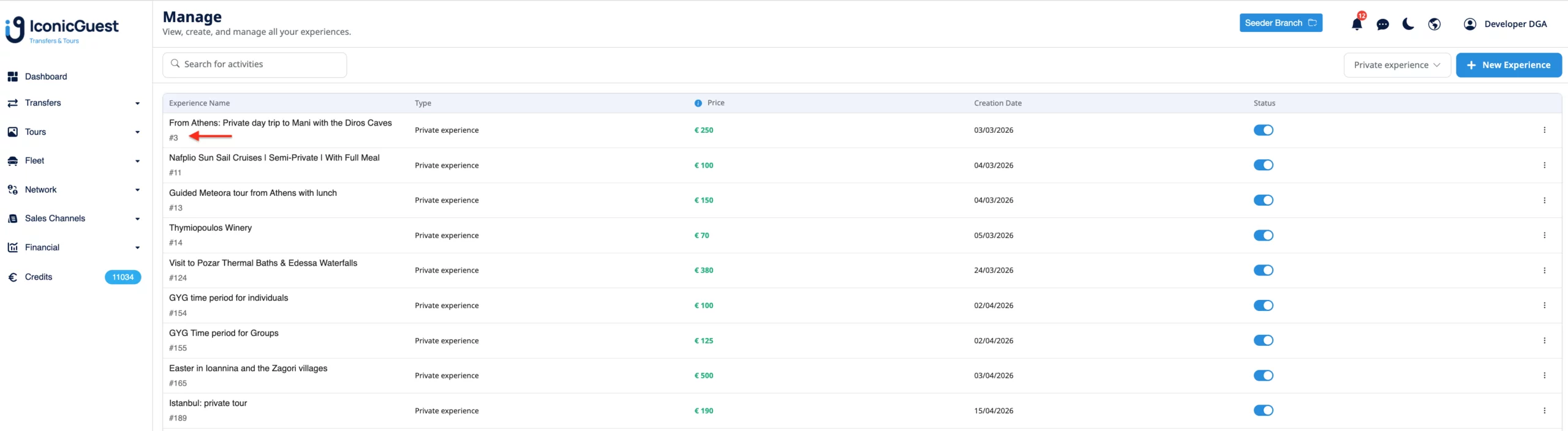
Find your tour’s ID
Go to Activities → Manage and locate your tour. Next to the name
there is a small badge shaped like #123 — that number is your
tour ID. Note it down.
In the “Manage” list, the ID appears as #123 next to the name.
4
On GetYourGuide
Map the tour and select IconicGuest
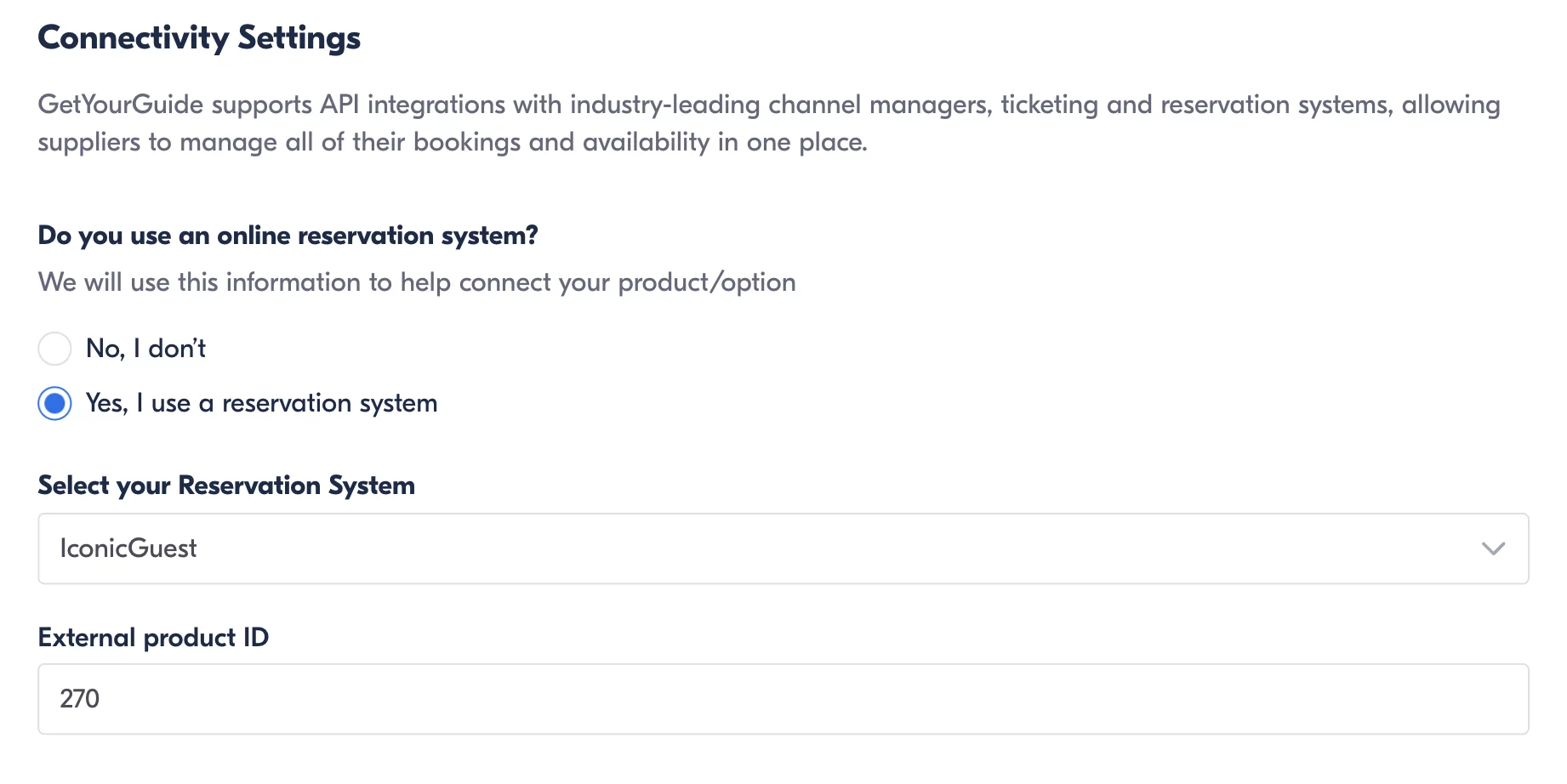
In the extranet open your product/option and go to Connectivity Settings.
For “Do you use an online reservation system?” choose “Yes, I use a reservation system”.
Under “Select your Reservation System” choose IconicGuest.
In the “External product ID” field, enter just the tour ID from Step 3
(e.g. 3) — no prefix, no spaces.
Connectivity Settings on GetYourGuide: Reservation System = IconicGuest, External product ID = the tour ID.
Once the connection is complete, availability and prices are
pulled automatically from IconicGuest. You don’t need to update them manually
on GetYourGuide — every change in IconicGuest syncs automatically.
Need help? Contact the IconicGuest team and we’ll guide you through it.
IconicGuest Payments Handling: Simplifying Payments for Travel and Tourism Businesses IconicGuest Payments Handling works through a fully integrated and streamlined...